What it is
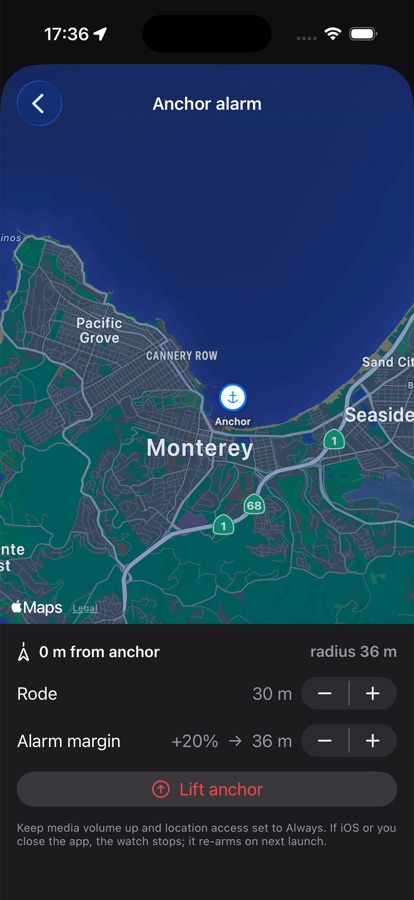
The anchor alarm watches your position against a pin you drop when you set the hook. Tell it how much rode you let out and how much margin to allow, and it arms a watch circle around the anchor.
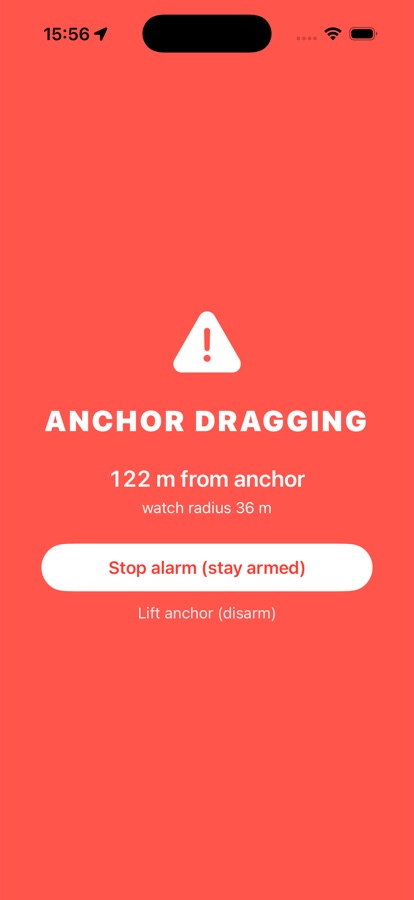
If the boat moves past that circle, drifting on the wind or a dragging anchor, it doesn't just log the fact quietly. A looping siren, a push notification, and a full-screen red alert all fire, and your drift keeps updating live on the Lock Screen so you can check it without unlocking the phone.
How to use it
From the anchor alarm screen, drop the pin on where the anchor is, then set rode length and the alarm margin (how far past the expected swing circle counts as dragging). Tap to arm it.
Keep the phone's media volume up and location access set to Always so the alarm can reach you and the app can watch your position even if iOS puts it to sleep. If the app does get closed, arming picks back up the next time you open it. When you're ready to leave, tap "Lift anchor" to disarm.