What it is
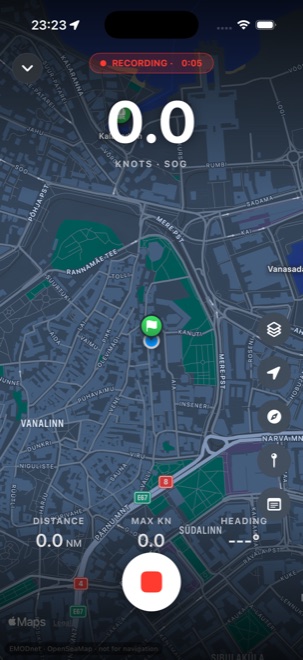
Record a sail turns your phone into a GPS logger for the trip: live speed, heading, and distance on the chart, saved as a track the moment you stop.
Recording keeps running in the background, so a locked phone or a switch to another app doesn't lose your track. A live view on the Lock Screen keeps your speed and distance one glance away.
How to use it
Tap the red record button from any tab to start. The chart follows your boat and shows distance, max speed, and heading as you go.
Tap the chevron in the top corner to minimize the recording to a small live pill; the rest of the app stays fully usable underneath it, so you can check the Logbook or the weather without stopping the track. Tap the pill to bring the full view back, and tap stop when you're done to save the trip straight to your Logbook.