What it is
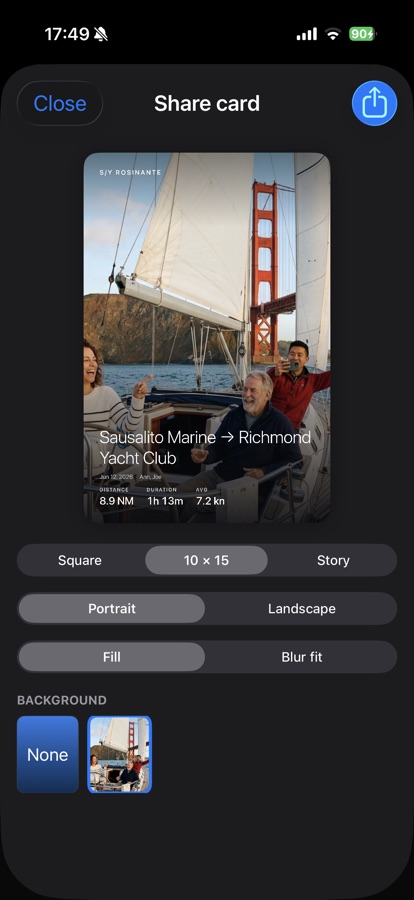
Share cards turn a logged trip into an image (or a short video) built for posting: your photo as the background, the route and stats overlaid, and your boat's name watermarked in the corner.
Pick a single standout photo, or lay out a multi-photo collage with a fill or fit crop per tile, whichever tells the trip's story better.
How to use it
Open a trip in the Logbook and tap to create a share card. Choose a background photo (or a collage of several), then toggle which overlays you want: route, distance, duration, average speed, and crew names.
Pick a format, square for a feed post, 10x15 postcard, or story for a phone screen, and portrait or landscape. Fill crops the photo to the frame; blur fit keeps the whole photo visible with a blurred backdrop filling the rest. Export with the share button when it looks right.